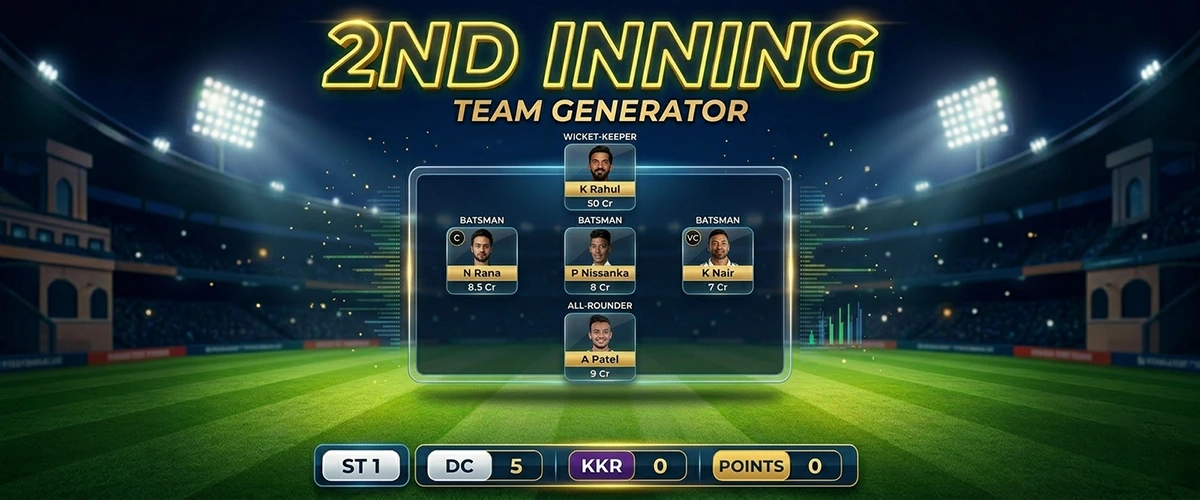
Dream11's Second Innings contest is one of the most exciting — and most profitable — formats available on the platform. Unlike the standard 11-player fantasy team, here you pick just 5 players for the second innings of a match. The shorter team size means every single selection, combination, and captain choice has an outsized impact on your rank. And here's the good news most players don't realize: you're not rushing to create teams in a 10-minute break between innings. The Playing XI (Lines Out) is typically confirmed during the first innings itself — giving you the entire duration of the first innings to research, build your strategy, configure player groups, and set everything up in STAR11. By the time the second innings begins, you simply tap Generate, your teams are ready in seconds, and you copy them all to Dream11 in one tap — no ad interruptions, no delays.
STAR11 users are regularly winning Dream11 grand leagues using second innings teams generated with STAR11's Smart Second Innings Generator — because they enter with 10, 20, or 50 diverse teams built on real strategy, while most opponents are still manually picking a single team in a hurry. This guide walks you through exactly how to do the same.
For a full understanding of all STAR11 generators, see our guide on how to generate the best Dream11 teams with STAR11. And if you want to sharpen your overall fantasy cricket strategy, read our proven fantasy cricket tips to win on Dream11.
What Is Dream11 Second Innings?
Dream11 Second Innings is a special short-format fantasy contest that opens after the first innings of a T20 or ODI match is complete. Key facts:
- 5-player team — You pick exactly 5 players instead of the usual 11.
- Second innings only — Only the performances from the second innings count. First innings runs, wickets, and milestones do not contribute to your fantasy score.
- Captain (2x) & Vice-Captain (1.5x) — Just like standard fantasy, you must designate one Captain and one Vice-Captain from your 5 players.
- Dream11 exclusive — This contest type is currently available only on Dream11, making a targeted generator for it especially valuable.
- Plenty of time to prepare — The Playing XI (Lines Out) is announced during the first innings, not after. This gives you the entire first innings — typically 1.5–2 hours for a T20 and even longer for ODIs — to research players, configure your team settings in STAR11, and create player groups. By the time the 2nd innings starts, your teams are generated and copied to Dream11 in seconds.
Because only 5 players are involved and the Lines Out is confirmed during the 1st innings, you have ample time to build a deeply strategic team. STAR11 lets you pre-configure every setting during the match and generate all your teams instantly — giving you a decisive edge over players who manually pick one last-minute team.
Why Second Innings Strategy Is Different
The second innings in T20 and ODI cricket has very different dynamics from the first innings, and your fantasy strategy must reflect that:
- You know the target — The chasing team knows exactly how many runs they need. This affects the batting approach (aggressive vs. calculated) and bowler usage.
- Pitch conditions are clearer — By the second innings, it's obvious whether the pitch is batting-friendly or bowling-friendly. Use this to pick more relevant players.
- Toss result matters more — The toss decides who bats second. After the first innings, you know the exact team batting in the second innings — no guesswork.
- Pressure situations create fantasy points — Close chases often produce explosive batting, big wicket moments, and bonus fantasy events like Man of the Match performances.
- Team combination shifts — If the target is very high (e.g., 220+ in T20), the chasing team is under pressure — wickets become more likely, making bowlers from the defending team more attractive. Conversely, a low target favors chasing batsmen.
STAR11's Smart Second Innings Generator is built with these dynamics in mind, offering flexible combination formats and risk-level settings that match the match context.
Step 1 — Select Your Players
The first step in STAR11's Smart Second Innings Generator is selecting the players who are eligible for your 5-player teams. This is a critical step — the quality of your input directly determines the quality of your generated teams.
How to Select Players
Players are displayed by role — Wicket-Keepers, Batters, All-Rounders, and Bowlers — sourced directly from the match's available squad. For each player, you can see:
- Selection % — How many Dream11 users have selected this player (useful for differential picks)
- Captain % and Vice-Captain % — How often this player is being chosen as C/VC across teams
- Fantasy Points — Recent performance points from previous matches
- Credit Value — The player's credit cost, important for the credit range filter
Sorting Players
Before making selections, sort the player list to spot the best picks quickly:
- Sort by Points to find the highest-scoring players in recent form
- Sort by Selection % to identify popular picks (and spot differential opportunities)
- Sort by C% / VC% to see who the crowd is picking as captain
- Sort by Credit to find value-for-money players within your budget
How Many Players to Select
Select more players than just 5 — this gives the generator pool diversity. The generator will use your selected players to build different 5-player team combinations. A good pool is typically 8–16 players. Selecting too few limits diversity; selecting too many may dilute quality.
Star Players (Lock In)
If you're confident that a specific player will definitely perform — for example, a top-order batter in the chasing team facing a low target — you can mark them as a Star Player. Star Players appear in every generated team. Use this feature for players you've thoroughly researched and are highly confident about.
Step 2 — Create Player Groups (Advanced Strategy)
Player Groups are one of the most powerful — and most underused — features in STAR11's Second Innings Generator. They let you define custom clusters of players with minimum and maximum appearance constraints across your generated teams.
What Is a Player Group?
A Player Group is a set of players that you create, along with a rule: "from this group of players, include at least X and at most Y in every generated team."
For example, suppose you've identified 4 strong batsmen from the chasing team — Rohit, Virat, Surya, and Hardik. You're not sure which 2 or 3 will fire, but you want at least 2 of them in every team. Create a group with all 4 and set minimum = 2, maximum = 3. Every generated team will then have 2–3 of these players, ensuring good coverage without over-concentrating.
Why Groups Are Critical for Second Innings
In a 5-player team, the margin for error is tiny. Player Groups let you enforce strategic coverage rules that manual team creation can never achieve at scale:
- Ensure at least 1 bowler from the defending team appears in every team (key when the target is very high)
- Cap the number of players from one specific team to control risk
- Guarantee at least 1 all-rounder who will contribute with both bat and ball in the second innings
Group Rules
- You can create up to 10 player groups per match
- Each group can include up to 16 players
- Groups from both squads (Team 1 and Team 2) can be mixed within a single group
- Each group is assigned a unique color for easy visual identification
Once your groups are configured, tap Next to proceed to the configuration step.
Step 3 — Configure Team Settings
This is where STAR11's Smart Second Innings Generator becomes truly powerful. You have multiple configuration options that directly shape the strategy and diversity of your generated teams.
Team Combinations
Team Combinations determine how many players come from each squad in the generated 5-player teams. Since 5 players must be picked in total, the combinations available are:
| Combination | Team 1 Players | Team 2 Players | Best Used When |
|---|---|---|---|
| Auto | Flexible | Flexible | Let the generator decide the best split — good when match outcome is uncertain |
| 3-2 | 3 | 2 | Slightly favouring Team 1 (e.g., Team 1 is chasing a moderate target) |
| 2-3 | 2 | 3 | Slightly favouring Team 2 (e.g., Team 2 is chasing a moderate target) |
| 4-1 | 4 | 1 | Strongly backing Team 1 (e.g., Team 1 is chasing a very low target easily) |
| 1-4 | 1 | 4 | Strongly backing Team 2 (e.g., Team 2 is chasing and likely to win) |
| 5-0 | 5 | 0 | All-in on Team 1 — high risk, high reward if Team 1 dominates completely |
| 0-5 | 0 | 5 | All-in on Team 2 — high risk, high reward if Team 2 dominates completely |
You can select multiple combinations simultaneously. For example, selecting both 3-2 and 2-3 will generate teams covering both scenarios — ideal when you're unsure which team will dominate the second innings.
When multiple combinations are selected, you can also choose Combination Distribution:
- Random — Teams are generated with combinations chosen randomly from your selection
- Equal — Teams are distributed equally across your selected combinations (e.g., if you've chosen 3-2 and 2-3 and want 10 teams, 5 will be 3-2 and 5 will be 2-3)
Captain & Vice-Captain Rules
Captain selection is arguably the single most impactful decision in second innings fantasy — your Captain earns 2x points and Vice-Captain earns 1.5x points. To understand the broader C/VC strategy that top fantasy players use, see our guide to mastering captain & vice-captain selection. For second innings specifically, STAR11 gives you three C/VC distribution modes:
- Auto — The generator freely picks any player marked as Captain or Vice-Captain, distributed intelligently to maximize team diversity.
- Same Team — Your Captain and Vice-Captain will always come from the same squad. This is a focused strategy — if you're confident a single team will dominate the second innings, lock the C/VC within that team.
- Opposite Teams — Your Captain and Vice-Captain will always come from different squads. This hedging strategy ensures that regardless of which team performs better, you always have a C or VC in that team earning bonus points.
On top of this, you can also control C/VC Distribution across your generated teams:
- Random — Captains and vice-captains are assigned randomly from your marked players
- Equal — The captain role is distributed equally across all players marked as Captain, ensuring no single player dominates as C across all your teams
Number of Teams to Generate
You can set how many 5-player teams you want to generate — from a single team up to a large batch. More teams mean more coverage across different second innings outcomes. The generator uses your settings to ensure every team is unique and strategically valid.
Required Players (Role Constraints)
Set minimum and maximum player counts by role for the overall team pool:
- Wicket-Keepers — Typically 0–2 in 5-player second innings teams
- Batters — Core second innings scorers; ensure adequate coverage
- All-Rounders — Contribute with both bat and ball; excellent value in 5-player formats
- Bowlers — Essential when the target is high and wickets are expected
Toggle between Simple (single set of constraints) and Advanced mode. In Advanced mode, you can set separate constraints per team — for example, requiring that Team 1 contributes at least 1 WK and Team 2 contributes at least 1 bowler.
Player Distribution Mode
This setting controls how the generator selects players when building each team from your pool:
| Mode | How It Works | Best For |
|---|---|---|
| Random | Players are selected randomly from the valid pool | Default — best coverage when match outcome is uncertain |
| Equal | All players in your pool are used roughly the same number of times across teams | When you want balanced exposure across all your selected players |
| Low Risk | Prioritizes players with higher selection % (popular, safer choices) | Small contests where consistent performance matters more than rank differentiation |
| High Risk | Prioritizes players with lower selection % (differential, unique picks) | Mega contests where standing out from the crowd is the winning strategy |
Credit Range Filter
Every player has a Dream11 credit value, and your 5-player team must fit within a credit budget. STAR11 lets you set a minimum and maximum credit range using a range slider. This helps you:
- Avoid generating extremely low-quality teams that fit only budget players
- Control team quality by ensuring your generated teams always include a mix of premium and value players
- Optimize for specific budget strategies — for example, using 3 premium players (high credit) and 2 value picks (low credit)
Winning Strategies for Dream11 Second Innings
Now that you understand all the configuration options, here are the proven second innings strategies used by top fantasy players — all of which map directly to STAR11's generator settings.
Strategy 1: Back the Chasing Team (Moderate Target)
If the target is moderate (e.g., 160–175 in T20), the chasing team has a reasonable chance of winning. Pick 3 or 4 players from the chasing team (combinations 3-2 or 4-1). Focus on top-order batsmen from the chasing team as your Captain and Vice-Captain picks. The chasing team's openers and middle-order are most likely to score big.
Strategy 2: Bowler-Heavy When Target Is Very High
When the defending team has posted a very high score (e.g., 200+ in T20), the chasing team is under severe pressure — wickets become highly likely. In this case, use combinations like 2-3 or 3-2 with 2–3 bowlers in your team. Mark a high-wicket-taking bowler from the defending team as a strong Captain/VC pick.
Strategy 3: Differential C/VC for Mega Contests
In second innings mega contests, most players pick the same obvious captain (usually the star batsman of the chasing team). Use STAR11's High Risk player distribution mode combined with Opposite Teams C/VC rule. This forces your teams to have diverse and non-obvious captains — if your differential captain fires, you jump thousands of ranks in one shot.
Strategy 4: Equal Combination Distribution for Maximum Coverage
When you genuinely can't predict which team will dominate, select multiple combinations (e.g., 3-2, 2-3, 4-1, 1-4) and set combination distribution to Equal. Generate 20 teams and each combination will contribute 5 teams. This covers all possible match outcomes — regardless of who wins or loses, some of your teams will be well-placed.
Strategy 5: Player Groups for Key Performers
After analyzing the 1st innings pitch and conditions, create a Player Group of the top 4–5 batsmen who are most likely to score in the 2nd innings. Set minimum = 2. This ensures every team has at least 2 of your premium picks — giving all your teams a strong foundation while still allowing diversity through the remaining 3 slots.
Complete Step-by-Step: Using STAR11 for Second Innings
- Open STAR11 as soon as the match starts — Navigate to the match in STAR11 and tap the Second Innings option. Don't wait until the first innings ends — the Playing XI (Lines Out) is confirmed early in the match, giving you the full first innings to prepare.
- Check the Lines Out & review player data — Once the playing XI is confirmed, sort players by Points, Selection %, and Credits. Note who is in form and use the 1st innings context (pitch behavior, early wickets, or big scores) to refine your picks.
- Select your player pool (Step 1) — Pick 8–16 players from both squads. Mark players you're very confident about as Star Players. Mark your Captain and Vice-Captain candidates by tapping the C/VC icons.
- Create Player Groups (Step 2) — Optional but recommended. Create groups for key batting clusters or bowling threats and set min/max constraints. Do this during the 1st innings so everything is ready when the time comes.
- Configure settings (Step 3):
- Select your preferred Team Combination(s) (e.g., 3-2, or both 3-2 and 2-3)
- Choose C/VC Rule (Auto, Same Team, or Opposite Teams)
- Set C/VC Distribution (Random or Equal)
- Set Number of Teams to generate
- Adjust Role Constraints if needed
- Choose Player Distribution Mode (Random, Equal, Low Risk, or High Risk)
- Optionally set Credit Range filter
- Tap Generate Teams — As the 1st innings ends and the 2nd innings is about to start, tap Generate. STAR11 creates all your configured teams in the background instantly.
- Copy to Dream11 in one tap — no ads — Use STAR11's one-tap team copy feature to push all your generated teams directly into Dream11. Join any open second innings contest without a single ad interruption — your teams are in Dream11 and your contest entries are confirmed before the first ball of the 2nd innings is bowled.
Copy Teams to Dream11 in Seconds — No Ads, No Interruptions
One of the biggest advantages of using STAR11 for second innings is how fast and smooth the team submission process is. Once your teams are generated:
- One-tap copy to Dream11 — All your generated teams are pushed directly into your Dream11 account in one go. No need to manually re-enter each team on Dream11's interface.
- Join contests instantly — From within STAR11, you can join Dream11 second innings contests directly. Select your contest, confirm your teams, and you're in — all without switching apps repeatedly.
- Zero ad interruptions — Unlike other apps that force you through ads at every step, STAR11 lets you generate, copy, and join contests in a smooth, uninterrupted flow. This matters especially for second innings where you want to act decisively when the contest window opens.
- Multiple teams submitted in one session — Whether you're entering 5 teams or 50, the process is the same: generate, copy, join. No repetitive manual work.
This speed advantage compounds with strategy: while other players are still manually building their one team (or watching ads in a slow app), you've already submitted 20 strategically diverse teams and joined the grand league — before the first ball of the second innings is bowled.
How STAR11 Users Win Dream11 Grand Leagues with Second Innings Teams
Grand leagues are the holy grail of Dream11 — massive prize pools, thousands of participants, and life-changing winnings at the top. Second innings contests are particularly well-suited for grand league wins because:
- Most players enter just 1 team — In a second innings grand league with 50,000 players, the vast majority submit a single, obvious team. STAR11 users enter with 20–50 diverse teams, giving exponentially more coverage.
- Differential captains pay off big — When you use STAR11's High Risk player distribution with Opposite Teams C/VC rule, some of your teams will have captains that almost nobody else picked. When those differentials fire, you jump thousands of ranks in one match.
- Strategic combination coverage — By generating teams across multiple combinations (3-2, 2-3, 4-1), you're always positioned to benefit regardless of how the second innings plays out — a blowout, a close chase, or a bowling masterclass.
- Player Groups capture key performances — Your groups ensure that breakout performers from your shortlist appear in multiple teams. When a player unexpectedly scores big or takes a hat-trick in the second innings, your groups guarantee you have multiple teams with that player.
STAR11 users across India are winning second innings grand leagues consistently — not by luck, but by entering more strategically diverse teams built on real data and smart configuration. If you want to understand the broader strategy framework behind this, read our fantasy cricket tips to win grand leagues on Dream11.
Common Mistakes to Avoid in Second Innings
- Waiting until the 1st innings ends to start — The biggest mistake of all. The Playing XI is confirmed during the first innings. Open STAR11 early, check Lines Out, and start building your strategy while the match is still in the first innings. Don't wait for the innings break.
- Not using the toss info — By the second innings you know exactly who is batting. Don't use players who are not batting in the 2nd innings. STAR11's Lines Out feature ensures only valid second innings players are available, but always double-check your selections.
- Same C/VC in all teams — A 5-player team with a failed captain loses big. Use STAR11's equal C/VC distribution so the captain role is spread across your marked players.
- Ignoring bowlers — In second innings, bowlers (especially if the target is very high) can be game-changers. Don't stack your team with only chasing batsmen without considering defending bowlers.
- Only one combination — Second innings are unpredictable. Using a single 3-2 combination means you're fully exposed if the game swings the other way. Generate teams across 2–3 combinations for better coverage.
- Too many Star Players — If you lock in 4 out of 5 players as Star Players, there's almost no diversity across your teams. Limit Star Players to 1–2 maximum for second innings.
- Selecting too many players — If you select 20+ players, the 5-player teams will become very diluted. A tight, quality pool of 10–14 players gives better quality teams.
- Entering only one team in grand leagues — This is how most players play — and why most players don't win. Use STAR11 to generate 20–50 diverse teams and enter them all. Grand leagues reward coverage and differentiation, not a single lucky pick.
Second Innings vs. Standard Fantasy: Key Differences
| Feature | Standard Fantasy (11 Players) | Second Innings (5 Players) |
|---|---|---|
| Team size | 11 players | 5 players |
| When created | Before the match | Between innings (after 1st innings) |
| Innings counted | Full match (both innings) | Second innings only |
| Toss info available | Sometimes (for deadline after toss) | Always — 1st innings is complete |
| Pitch conditions | Estimated from pre-match data | Confirmed from 1st innings behavior |
| Combination options | Up to 8 players from one team (of 11) | Up to 5 from one team (of 5) — 5-0 or 0-5 possible |
| Platforms supported | Dream11, My11Circle, and others | Dream11 only |
Frequently Asked Questions
Can I use the standard STAR11 generators for Second Innings?
No. The standard AI Team Generator and Smart Team Generator are designed for the standard 11-player format. The Smart Second Innings Generator is a dedicated tool built specifically for the 5-player Dream11 Second Innings format, with combinations, constraints, and credit budgets calibrated for 5-player teams.
How many teams should I generate for second innings?
For mega contests, aim for 10–25 teams to cover multiple combinations and C/VC options. For small or head-to-head contests, 3–5 well-researched teams is often sufficient. The generator makes it easy to create many teams quickly — even 50 teams takes just seconds.
Should the Captain always come from the chasing team?
Not necessarily. In most cases, chasing team players are favored for captaincy because runs score more consistently during a chase. However, if the target is very high and a bowler is clearly going to run through the chasing lineup, a bowler from the defending team can be an excellent differential captain choice — especially in mega contests.
What combination should I use if I don't know who will win?
Select both 3-2 and 2-3 (or even add 4-1 and 1-4) with Equal combination distribution. This way, your generated teams are evenly split between backing Team 1 and backing Team 2 — giving you coverage regardless of which team performs better in the second innings.
Is the Linesout / Playing XI status shown in STAR11?
Yes. STAR11 displays the Lines Out (playing XI) status directly within the app. Crucially, the Playing XI is typically confirmed during the first innings — not after it ends. This means you can open STAR11 at the start of the match, wait for the Lines Out confirmation, and spend the entire first innings building your player pool, creating groups, and configuring team settings. By the time the second innings begins, you're ready to generate and copy your teams to Dream11 immediately — with zero rushing.
Conclusion
Dream11 Second Innings is one of the most rewarding formats in fantasy cricket — and one of the most winnable, if you approach it with the right strategy and tools. With just 5 players, every decision counts. But here's the key insight: you have far more time than you think. The Playing XI is confirmed during the first innings, giving you 1.5–2+ hours to research, configure your settings, create player groups, and build a complete strategy in STAR11 before the 2nd innings even starts.
When the second innings begins, STAR11 users tap Generate once, copy all their teams to Dream11 in seconds without any ad interruptions, join the grand league, and get back to watching the match. Meanwhile, most opponents are still manually picking their one last-minute team.
That's the difference between winning grand leagues and finishing mid-table. More teams. Better strategy. Zero rushing. Download STAR11, open your next match early, and experience the Smart Second Innings Generator for yourself.
Ready to build your first set of second innings teams? Read our full guide on how to generate the best Dream11 teams with STAR11, or sharpen your overall approach with our top fantasy cricket tips to win on Dream11 & My11Circle.
Download STAR11 — Win Grand Leagues with Second Innings Teams
Smart Second Innings Generator • Player Groups • Flexible Combinations • Copy to Dream11 in Seconds • No Ads • Free 24-hour trial.
Get it on Google Play